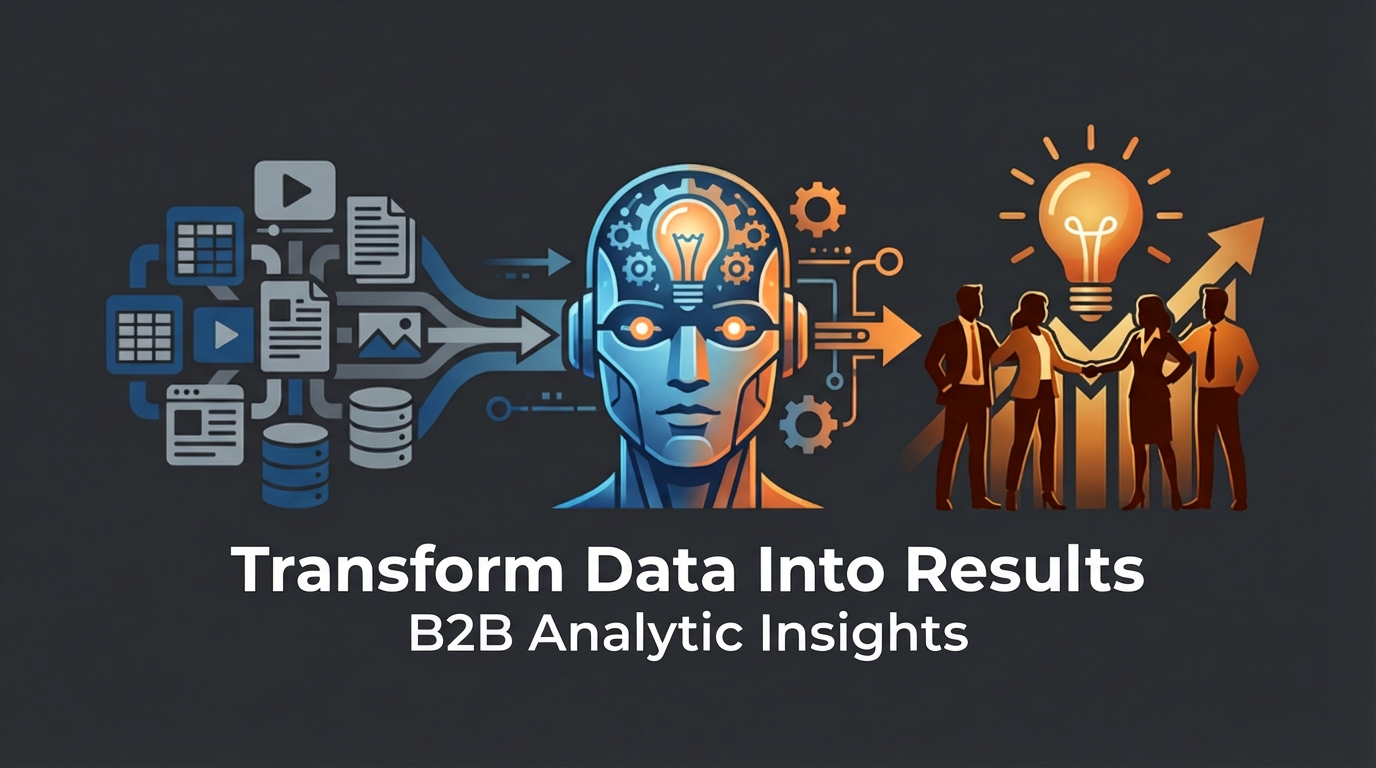

Data integration is a crucial process in today’s business world. With the increasing amount of data being generated and collected by organizations, it has become essential to integrate and consolidate this data from various sources into a single, unified view. This allows businesses to gain valuable insights, make informed decisions, and improve overall efficiency. In this article, we will explore the basics of data integration, its benefits for businesses, and best practices for successful implementation.
Understanding the Basics of Data Integration
Data integration refers to the process of combining data from different sources and formats into a unified view. This can include structured data from databases, unstructured data from documents or emails, and even real-time data from sensors or IoT devices. The goal of data integration is to provide a comprehensive and accurate view of the organization’s data, enabling better decision-making and analysis.
There are several types of data integration approaches, including manual integration, application-based integration, and platform-based integration. Manual integration involves manually extracting and transforming data from various sources, which can be time-consuming and prone to errors. Application-based integration involves using middleware or APIs to connect different applications and exchange data. Platform-based integration involves using a centralized platform or tool that can connect to multiple data sources and perform automated data integration.
However, data integration can come with its own set of challenges. Some common challenges include data quality issues, incompatible data formats or structures, security concerns, and scalability issues. These challenges can make the process of data integration complex and time-consuming. Therefore, it is important for businesses to have a clear understanding of these challenges and develop strategies to overcome them.
The Benefits of Streamlining Your Business
Streamlining your business operations can bring numerous benefits. By eliminating unnecessary steps or processes, businesses can reduce costs, improve efficiency, and enhance customer satisfaction. Streamlining also allows organizations to focus on their core competencies and allocate resources more effectively.
For example, a manufacturing company that streamlines its production process can reduce lead times, minimize waste, and improve overall productivity. This can result in cost savings and increased customer satisfaction. Similarly, a retail company that streamlines its supply chain can reduce inventory holding costs, improve order fulfillment, and enhance the customer experience.
There are many successful examples of businesses that have streamlined their operations and achieved significant benefits. For instance, Amazon revolutionized the retail industry by streamlining its supply chain and logistics operations. By implementing advanced technologies and automation, Amazon was able to deliver products faster and more efficiently than its competitors. This not only improved customer satisfaction but also allowed the company to scale rapidly and dominate the market.
How Data Integration Can Improve Efficiency
| Metrics | Description |
|---|---|
| Reduced Data Errors | Data integration ensures that data is consistent and accurate across all systems, reducing errors caused by manual data entry or data duplication. |
| Improved Data Quality | Data integration allows for the consolidation of data from multiple sources, resulting in a more complete and accurate view of the data. |
| Increased Productivity | Data integration automates the process of data transfer and reduces the need for manual data entry, freeing up time for employees to focus on other tasks. |
| Enhanced Decision Making | Data integration provides a more complete and accurate view of data, allowing for better decision making based on real-time data. |
| Reduced IT Costs | Data integration reduces the need for manual data entry and data duplication, resulting in lower IT costs and increased efficiency. |
Data integration plays a crucial role in improving efficiency within an organization. By consolidating data from various sources into a single view, businesses can eliminate data silos and ensure that everyone has access to accurate and up-to-date information. This enables employees to make informed decisions quickly and efficiently.
For example, a sales team that has access to integrated customer data can easily identify cross-selling or upselling opportunities. They can also track customer interactions across different channels and provide personalized recommendations or offers. This not only improves the efficiency of the sales process but also enhances the overall customer experience.
Anecdote: One business that improved efficiency through data integration is a multinational telecommunications company. The company had multiple systems for managing customer data, including CRM systems, billing systems, and network management systems. However, these systems were not integrated, resulting in duplicate or inconsistent data. This made it difficult for employees to access accurate customer information and provide timely support.
To address this issue, the company implemented a data integration solution that connected all their systems and consolidated customer data into a single view. This allowed employees to access accurate and up-to-date information from any system, improving their efficiency in serving customers. The company also implemented automated data validation and cleansing processes to ensure data quality. As a result, the company was able to reduce customer support response times, improve customer satisfaction, and increase operational efficiency.
The Role of Data in Business Decision Making
Data plays a crucial role in business decision making. By analyzing data, businesses can gain valuable insights into customer behavior, market trends, and operational performance. This enables them to make informed decisions and take proactive actions to drive business growth.
For example, a retail company that analyzes sales data can identify which products are performing well and which ones are underperforming. This allows them to optimize their product assortment, pricing strategies, and marketing campaigns. By leveraging data, businesses can make data-driven decisions that are more accurate and effective than relying on intuition or guesswork.
Anecdote: One business that made a successful decision based on data analysis is a software company. The company was planning to launch a new product and wanted to determine the target market and pricing strategy. They analyzed market research data, customer feedback, and competitor analysis to identify the most profitable market segment and set the optimal price point.
Based on the data analysis, the company decided to target small and medium-sized businesses in a specific industry vertical. They also set the price slightly lower than their competitors to attract price-sensitive customers. This decision proved to be successful, as the company was able to penetrate the market quickly and gain a significant market share. The data-driven approach not only minimized risks but also maximized the return on investment.
Creating a Data Integration Strategy

Creating a data integration strategy is essential for successful implementation. Here are some steps to consider when developing a data integration strategy:
1. Define your objectives: Clearly define your goals and objectives for data integration. Identify the specific business problems or opportunities you want to address through data integration.
2. Assess your current state: Evaluate your existing data infrastructure, systems, and processes. Identify any gaps or challenges that need to be addressed. This will help you understand the scope and complexity of the data integration project.
3. Identify data sources: Identify all the data sources that need to be integrated. This can include databases, applications, files, or external sources. Determine the data formats, structures, and quality requirements for each source.
4. Design your data integration architecture: Design a data integration architecture that meets your business requirements. Consider factors such as scalability, performance, security, and ease of maintenance. Decide whether you need a centralized or distributed architecture.
5. Select the right tools and technologies: Choose the appropriate data integration tools and technologies based on your requirements. Consider factors such as data volume, complexity, real-time processing needs, and budget constraints.
6. Develop a data governance framework: Establish a data governance framework to ensure data quality, security, and compliance. Define data ownership, roles, and responsibilities. Implement data validation and cleansing processes to maintain data integrity.
7. Implement and test: Implement the data integration solution and test it thoroughly before deploying it in a production environment. Validate the accuracy and completeness of the integrated data. Monitor performance and make any necessary adjustments.
Anecdote: One business that created a successful data integration strategy is a healthcare organization. The organization had multiple systems for managing patient records, billing information, and medical imaging data. However, these systems were not integrated, resulting in duplicate or inconsistent patient information.
To address this issue, the organization developed a data integration strategy that involved consolidating patient data from different systems into a centralized database. They implemented an enterprise service bus (ESB) to connect the systems and enable real-time data exchange. They also implemented data validation rules to ensure data quality.
The organization successfully implemented the data integration solution and achieved significant benefits. They were able to provide healthcare professionals with a comprehensive view of patient information, improving the quality of care and reducing medical errors. The integrated data also enabled better analytics and reporting, leading to improved operational efficiency and cost savings.
Best Practices for Data Integration
To ensure successful data integration, it is important to follow best practices. Here are some best practices to consider:
1. Define clear objectives: Clearly define your objectives and align them with your business goals. This will help you prioritize your data integration efforts and ensure that they are aligned with your overall strategy.
2. Start small and scale: Start with a small pilot project to test the feasibility and effectiveness of your data integration approach. Once you have validated the benefits, scale up gradually to minimize risks and ensure a smooth transition.
3. Involve stakeholders: Involve key stakeholders from different departments or functions in the data integration process. This will help ensure that their requirements are considered and that they are engaged in the implementation.
4. Ensure data quality: Implement data validation and cleansing processes to ensure data quality. This includes identifying and resolving data quality issues, such as duplicate records, missing values, or inconsistent formats.
5. Monitor performance: Continuously monitor the performance of your data integration solution. Regularly review key performance indicators (KPIs) to identify any bottlenecks or areas for improvement. Make necessary adjustments to optimize performance.
6. Provide training and support: Provide training and support to employees who will be using the integrated data. This will help them understand how to access and interpret the data, as well as how to use any tools or technologies that are part of the data integration solution.
Anecdote: One business that followed best practices and achieved success in data integration is a financial services company. The company had multiple systems for managing customer accounts, transactions, and risk assessment. They wanted to integrate these systems to improve operational efficiency and provide a unified view of customer information.
The company followed best practices by defining clear objectives, involving stakeholders from different departments, and ensuring data quality. They implemented a data integration platform that connected all their systems and consolidated customer data into a single view. They also implemented data validation and cleansing processes to ensure data quality.
The company successfully implemented the data integration solution and achieved significant benefits. They were able to streamline their operations, reduce manual data entry, and improve the accuracy of customer information. This enabled them to provide better customer service, reduce operational costs, and make more informed business decisions.
The Importance of Data Quality
Data quality is crucial for successful data integration. Poor data quality can lead to inaccurate or incomplete insights, which can result in poor decision-making and operational inefficiencies. Therefore, it is important for businesses to prioritize data quality and implement processes to ensure data accuracy, completeness, consistency, and timeliness.
Data quality issues can arise from various sources, such as human error, system limitations, or data entry mistakes. For example, duplicate records can occur when the same customer is entered multiple times into a system. Inconsistent formats can occur when different systems use different formats for storing dates or addresses. Missing values can occur when required fields are not filled out during data entry.
Anecdote: One business that suffered due to poor data quality is a retail company. The company had multiple systems for managing customer information, including a CRM system and an e-commerce platform. However, these systems were not integrated, resulting in duplicate customer records and inconsistent product information.
As a result, the company faced several challenges. Customer service representatives had difficulty accessing accurate customer information, leading to delays in resolving customer issues. Marketing campaigns were not targeted effectively because of inaccurate customer segmentation. Inventory management was also affected because of inconsistent product information.
To address these issues, the company implemented a data integration solution that connected their CRM system with their e-commerce platform. They also implemented data validation rules to ensure data quality. This allowed them to eliminate duplicate records and ensure consistent product information across systems.
The company was able to improve customer service, increase marketing effectiveness, and optimize inventory management. By prioritizing data quality, they were able to overcome the challenges they faced and achieve significant improvements in their operations.
Integrating Data from Multiple Sources
Integrating data from multiple sources can be challenging due to various factors, such as different data formats, structures, or security requirements. However, it is essential for businesses to integrate data from multiple sources to gain a comprehensive view of their operations and make informed decisions.
One of the challenges of integrating data from multiple sources is ensuring data compatibility. Different systems may use different data formats or structures, making it difficult to combine or analyze the data. This can require additional effort to transform or map the data into a common format.
Another challenge is ensuring data security and privacy. Different data sources may have different security requirements or access controls. It is important to ensure that sensitive data is protected and that access to the integrated data is restricted to authorized users.
Anecdote: One business that successfully integrated data from multiple sources is a logistics company. The company had multiple systems for managing transportation, inventory, and customer orders. They wanted to integrate these systems to gain better visibility into their operations and improve overall efficiency.
The company faced challenges in integrating the data due to different data formats and structures. They also had to ensure that sensitive customer information was protected and that access to the integrated data was restricted.
To address these challenges, the company implemented a data integration platform that connected all their systems and consolidated the data into a single view. They also implemented data transformation processes to ensure compatibility between different data formats and structures. They implemented strict access controls and encryption mechanisms to protect sensitive customer information.
The company was able to gain real-time visibility into their operations, optimize their transportation routes, and improve order fulfillment. By successfully integrating data from multiple sources, they were able to achieve significant improvements in their efficiency and customer satisfaction.
Data Integration Tools and Technologies
There are several popular data integration tools and technologies available in the market. These tools and technologies can help businesses streamline their data integration processes and improve overall efficiency. Here are some examples:
1. Extract, Transform, Load (ETL) tools: ETL tools are used to extract data from various sources, transform it into a common format, and load it into a target system or database. These tools often provide visual interfaces for designing data integration workflows and can handle large volumes of data.
2. Enterprise Service Bus (ESB): An ESB is a middleware technology that enables different systems to communicate and exchange data in a standardized way. It provides a centralized hub for connecting systems and can handle real-time data integration.
3. Data virtualization: Data virtualization allows businesses to access and integrate data from multiple sources without physically moving or replicating the data. This can help reduce the complexity and cost of data integration.
4. Data integration platforms: Data integration platforms provide a comprehensive set of tools and technologies for managing the entire data integration lifecycle. They often include features such as data profiling, data cleansing, data transformation, and data governance.
Anecdote: One business that used a specific tool to achieve success in data integration is a healthcare organization. The organization had multiple systems for managing patient records, medical imaging data, and billing information. They wanted to integrate these systems to improve patient care and operational efficiency.
The organization implemented an ETL tool that allowed them to extract patient data from different systems, transform the data into a standardized format, and load it into a central data warehouse. This ETL tool streamlined the process of collecting and integrating patient data, enabling the organization to gain a comprehensive view of each patient’s medical history and treatment. With this consolidated data, healthcare providers were able to make more informed decisions, improve patient care, and identify trends or patterns that could lead to better outcomes. Additionally, the ETL tool automated the data integration process, reducing manual effort and minimizing the risk of errors or inconsistencies in the data. Overall, the implementation of this ETL tool greatly enhanced the organization’s ability to leverage patient data for improved healthcare delivery.